
No variation goes unbilled again
Scope changes on site every week. Progress captures the variation, routes it for approval and pushes it straight into the job's cost and billing schedule.
- Zero unbilled variations
- Cleaner client conversations
- Protected margin
Change orders that keep the job profitable
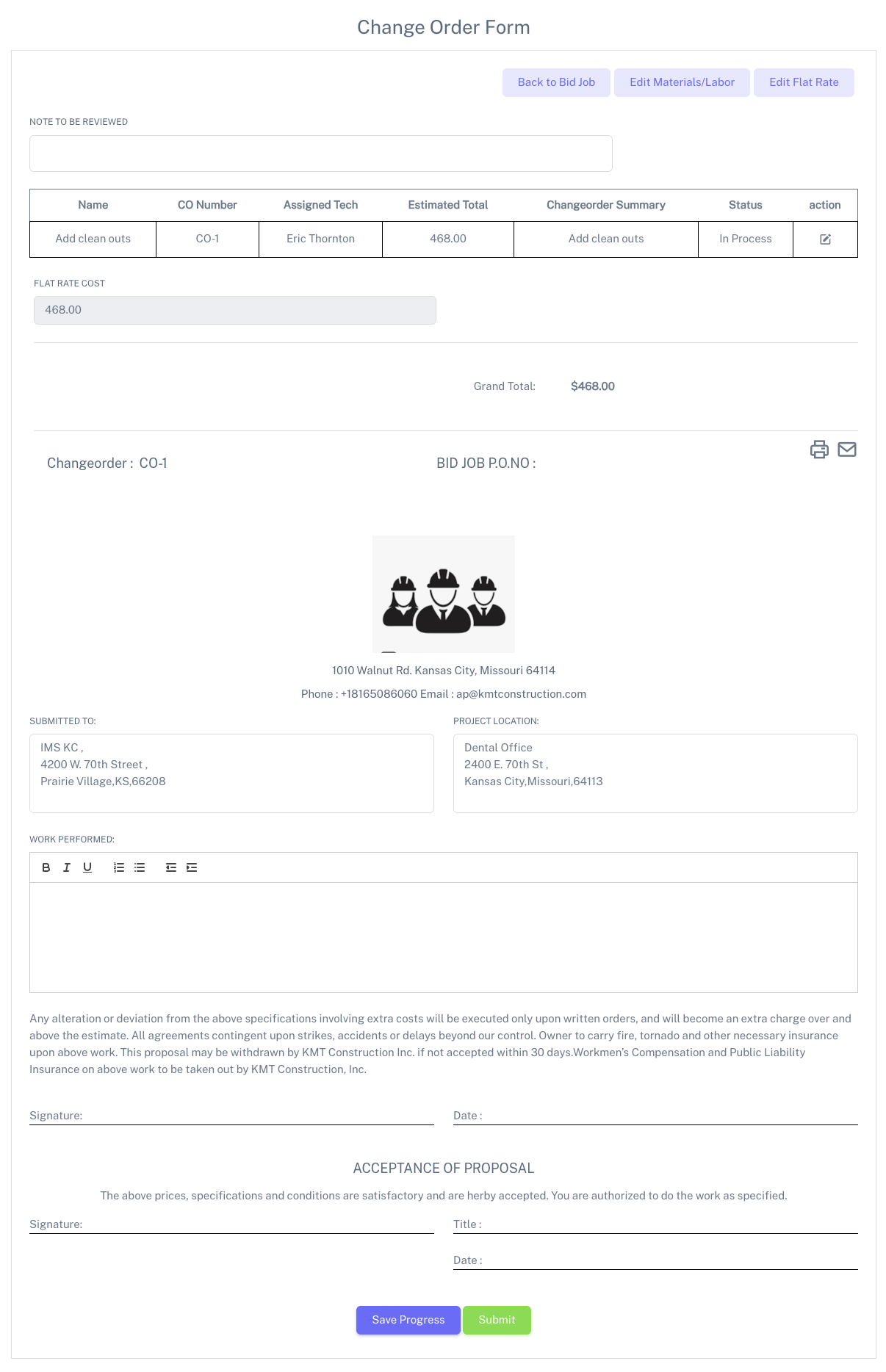
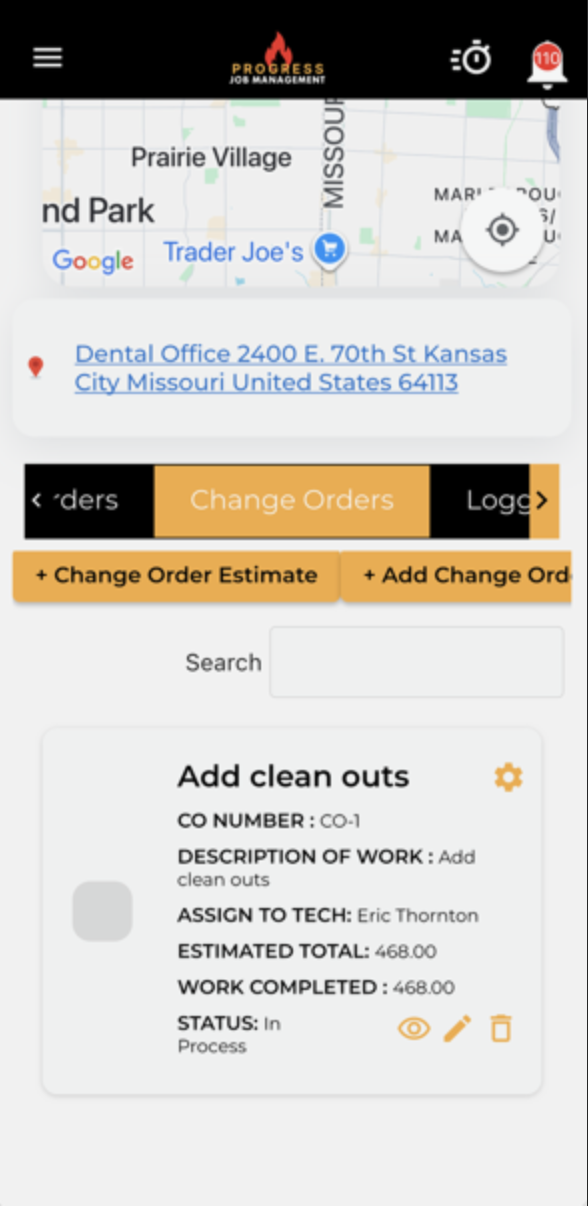
Capture every change, add-on and extra on a formal change order with labor, materials, notes and customer signatures.
Approved change orders update the job total and billing automatically, so nothing is left on the table when it's time to invoice.
- Formal CO numbering tied to the job
- Labor, materials and markup in one place
- Customer approval and signature capture
- Rolls straight into billing and reporting
What it changes for the business
The operational and financial difference contractors see once this is running.
Zero unbilled variations
Record extra labour, materials and approvals against the job so approved scope changes stay visible through costing and billing.
Cleaner client conversations
Document the change, its price and customer sign-off together so everyone can refer to the same agreed scope when questions arise.
Protected margin
Approved changes update job value and billing, helping your team account for additional costs rather than absorbing them into the original price.
Inside Change Orders
The parts of this module your team will touch every single day.
Raised from the field
Crews flag extra work with photos and notes the moment it happens.
Approval trail
Client sign-off recorded against the job, timestamped and searchable.
Flows to billing
Approved change orders update the contract value and the next claim.
Where this fits in the job lifecycle
Information moves in one direction — forward — with no re-entry between stages.
- Step 1
Customer
Request captured
- Step 2
Estimate
Scope and price
- Step 3
Job
Scheduled and dispatched
- Step 4
Change Orders
Where this feature works
- Step 5
Invoice
Billed from real data
- Step 6
Reporting
Margin visible
Frequently asked questions
Still unsure? A 30-minute demo answers most of it.
Run Change Orders on your next job.
Book a live demo with someone with someone who has actually run jobs.