
One job record from first call to final invoice
Every job carries its own scope, schedule, labour, materials, documents and financials — so nothing gets lost between the office and the field.
- Fewer dropped jobs
- Tighter margin control
- Cleaner handovers
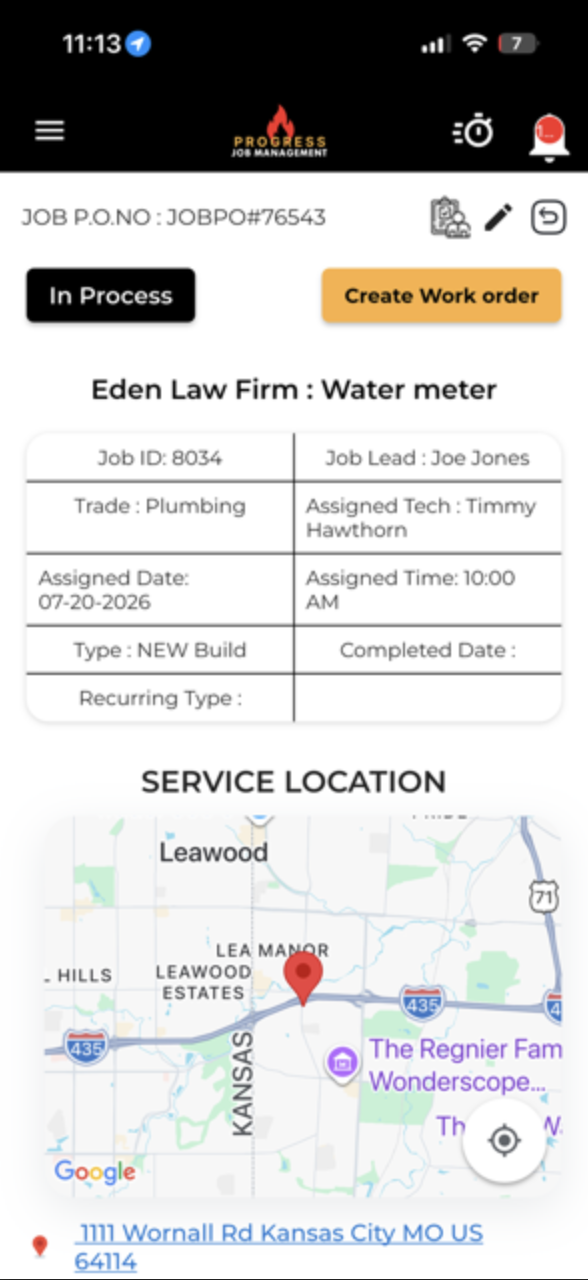
Assign, run and invoice every job from one record
Seamlessly manage and assign jobs. Field technicians get mobile access to job details, navigation and work order tools, while office staff handle invoicing quickly and easily.
Addresses, contacts, journal notes, documents, assignment logs, purchase orders and logged time all live on the job — so nothing has to be reconstructed later.
- Work orders generated from the job
- Journal notes, documents and assignment log
- Purchase orders and logged time attached
- Fast office invoicing on completion
What it changes for the business
The operational and financial difference contractors see once this is running.
Fewer dropped jobs
Keep scope, assignments and status together so open work stays visible and the next step doesn't get lost between teams.
Tighter margin control
Labour and material costs sit against the job, helping your team spot spending that needs attention before the work closes.
Cleaner handovers
Notes, documents and work details stay with the job, so the next person can take over without rebuilding the story.
Inside Jobs
The parts of this module your team will touch every single day.
End-to-end tracking
Estimate, schedule, dispatch, time, materials, invoice and reporting on one timeline.
Live job status
Know exactly where every job sits without chasing a single phone call.
Job-level profitability
Costs roll up as work happens, so margin is visible before the job closes.
Where this fits in the job lifecycle
Information moves in one direction — forward — with no re-entry between stages.
- Step 1
Customer
Request captured
- Step 2
Estimate
Scope and price
- Step 3
Job
Scheduled and dispatched
- Step 4
Jobs
Where this feature works
- Step 5
Invoice
Billed from real data
- Step 6
Reporting
Margin visible
Frequently asked questions
Still unsure? A 30-minute demo answers most of it.
Run Jobs on your next job.
Book a live demo with someone with someone who has actually run jobs.