
Material costs captured the moment they're committed
Techs raise POs from the field, the office approves, and every dollar lands against the right job automatically.
- Controlled spend
- Accurate job costs
- Faster billing
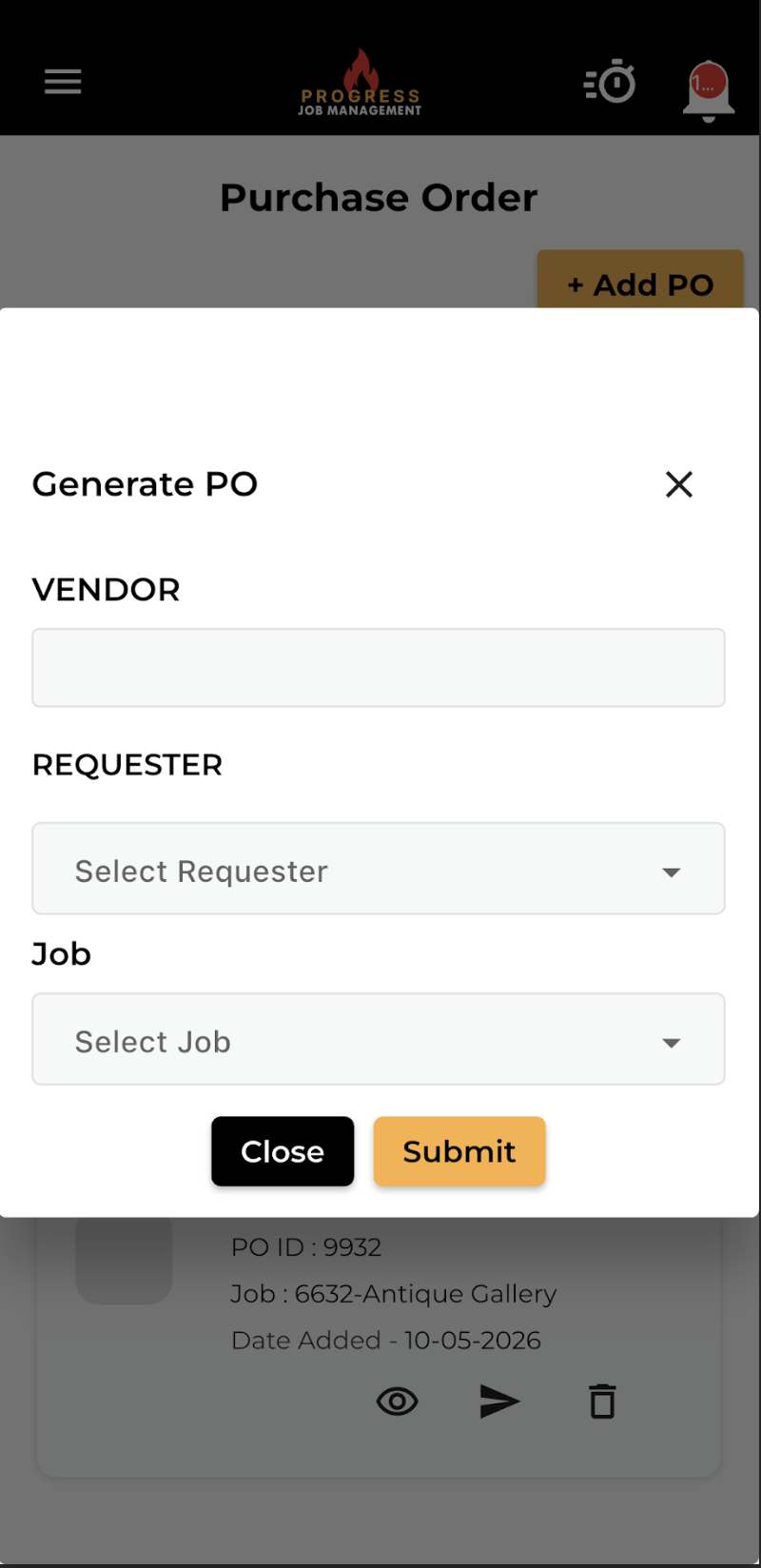
Digital POs from anywhere, costed to the job
Send digital purchase orders to your field technicians from anywhere. Eliminate lost receipts and keep a clear record of every material purchase against each job.
Every approved PO lands in job costing immediately, so material spend is visible while the job is still open.
- Raise and approve POs from any device
- Supplier records and PO numbering
- Attached to the job and the invoice
- No more shoebox receipts
What it changes for the business
The operational and financial difference contractors see once this is running.
Controlled spend
Raise and approve purchase orders against the job so the office can review material commitments before they become unexpected costs.
Accurate job costs
Keep supplier purchases attached to the right job, giving your team a clear material-cost record without chasing receipts later.
Faster billing
Purchase details are already on the job when work finishes, so invoice preparation doesn't have to wait for missing material paperwork.
Inside Purchase Orders
The parts of this module your team will touch every single day.
Field-raised POs
No more shoebox receipts or missing supplier dockets.
Approval workflow
Set limits and keep spend controlled without slowing crews down.
Cost-to-job accuracy
Materials hit job costing in real time, not at month end.
Where this fits in the job lifecycle
Information moves in one direction — forward — with no re-entry between stages.
- Step 1
Customer
Request captured
- Step 2
Estimate
Scope and price
- Step 3
Job
Scheduled and dispatched
- Step 4
Purchase Orders
Where this feature works
- Step 5
Invoice
Billed from real data
- Step 6
Reporting
Margin visible
Frequently asked questions
Still unsure? A 30-minute demo answers most of it.
Run Purchase Orders on your next job.
Book a live demo with someone with someone who has actually run jobs.