
Win more work with quotes that go out same day
Build accurate estimates from reusable pricing, send them branded, and convert accepted quotes into live jobs with one click.
- Faster turnaround
- Higher win rate
- No unbilled variations
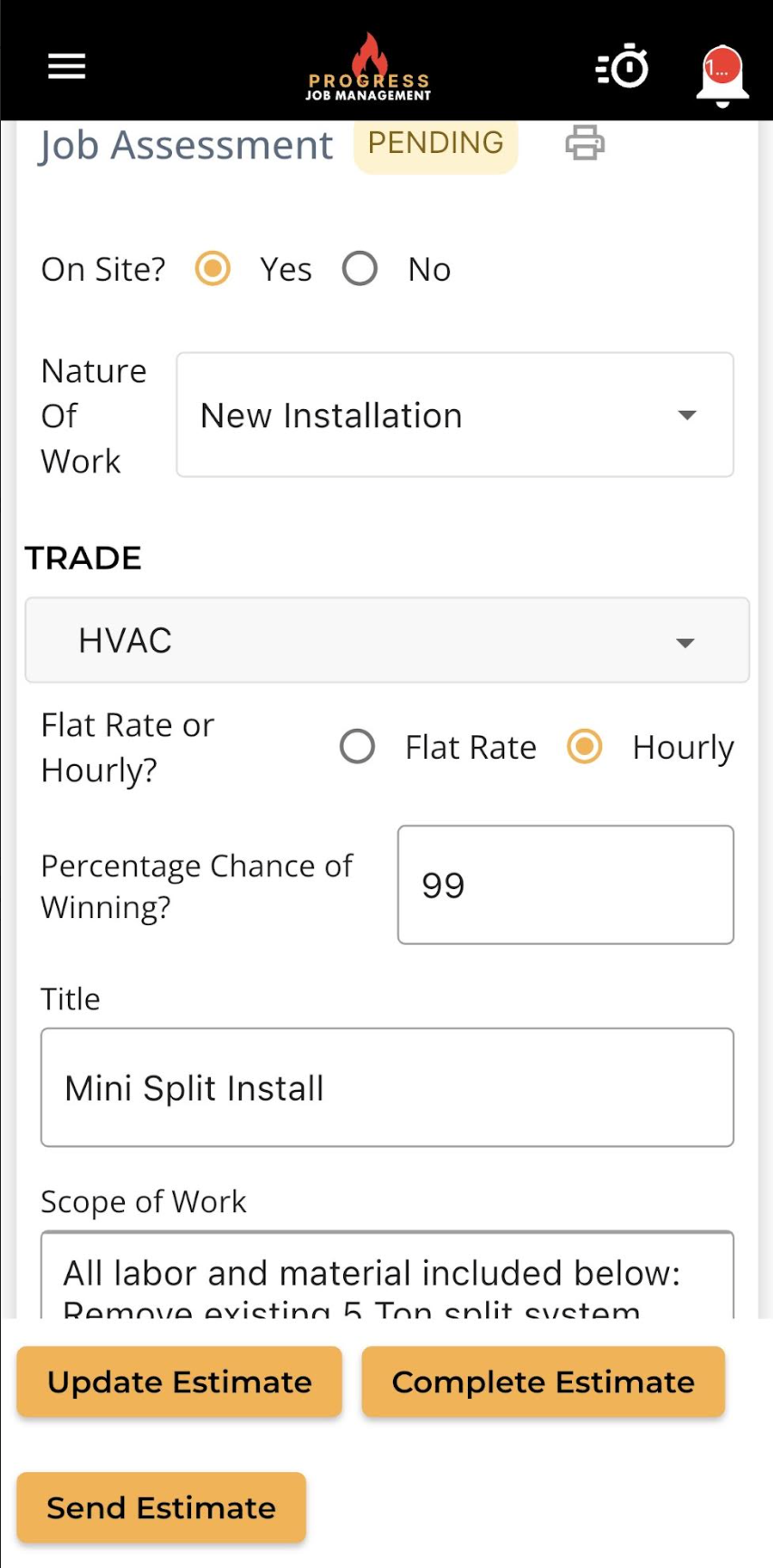
Professional estimates from desktop or mobile
Create and share professional estimates from anywhere, with customisable versions, detailed job assessments and full cost breakdowns for new and existing customers.
Accepted estimates convert straight into scheduled jobs — nothing is re-keyed and nothing is lost between sale and delivery.
- Versioned quotes with full cost breakdowns
- Cost-code library for fast pricing
- Build and send from the field
- One-click conversion to a live job
What it changes for the business
The operational and financial difference contractors see once this is running.
Faster turnaround
Reusable pricing and cost codes help your team build and send estimates without rebuilding the same line items each time.
Higher win rate
Clear scope and detailed pricing give customers a proposal they can review confidently, helping your team move the conversation toward acceptance.
No unbilled variations
Capture scope changes and their costs against the job so approved extras stay visible when it's time to prepare the bill.
Inside Estimates / Quotes
The parts of this module your team will touch every single day.
Reusable price books
Labour rates, materials and assemblies ready to drop into any quote.
One-click conversion
Accepted estimates become scheduled jobs without re-keying anything.
Change orders tracked
Variations are captured, approved and billed — not absorbed.
Where this fits in the job lifecycle
Information moves in one direction — forward — with no re-entry between stages.
- Step 1
Site assessment
Captured on mobile
- Step 2
Estimate built
Cost codes and margin
- Step 3
Sent to customer
Branded PDF
- Step 4
Accepted
Version locked
- Step 5
Job created
Straight to the schedule
Frequently asked questions
Still unsure? A 30-minute demo answers most of it.
Run Estimates / Quotes on your next job.
Book a live demo with someone with someone who has actually run jobs.