
Every hour on the right job
Crews clock on and off from their phone. Hours flow into job costing and payroll without a single timesheet retype.
- Accurate costing
- Less payroll admin
- No lost hours
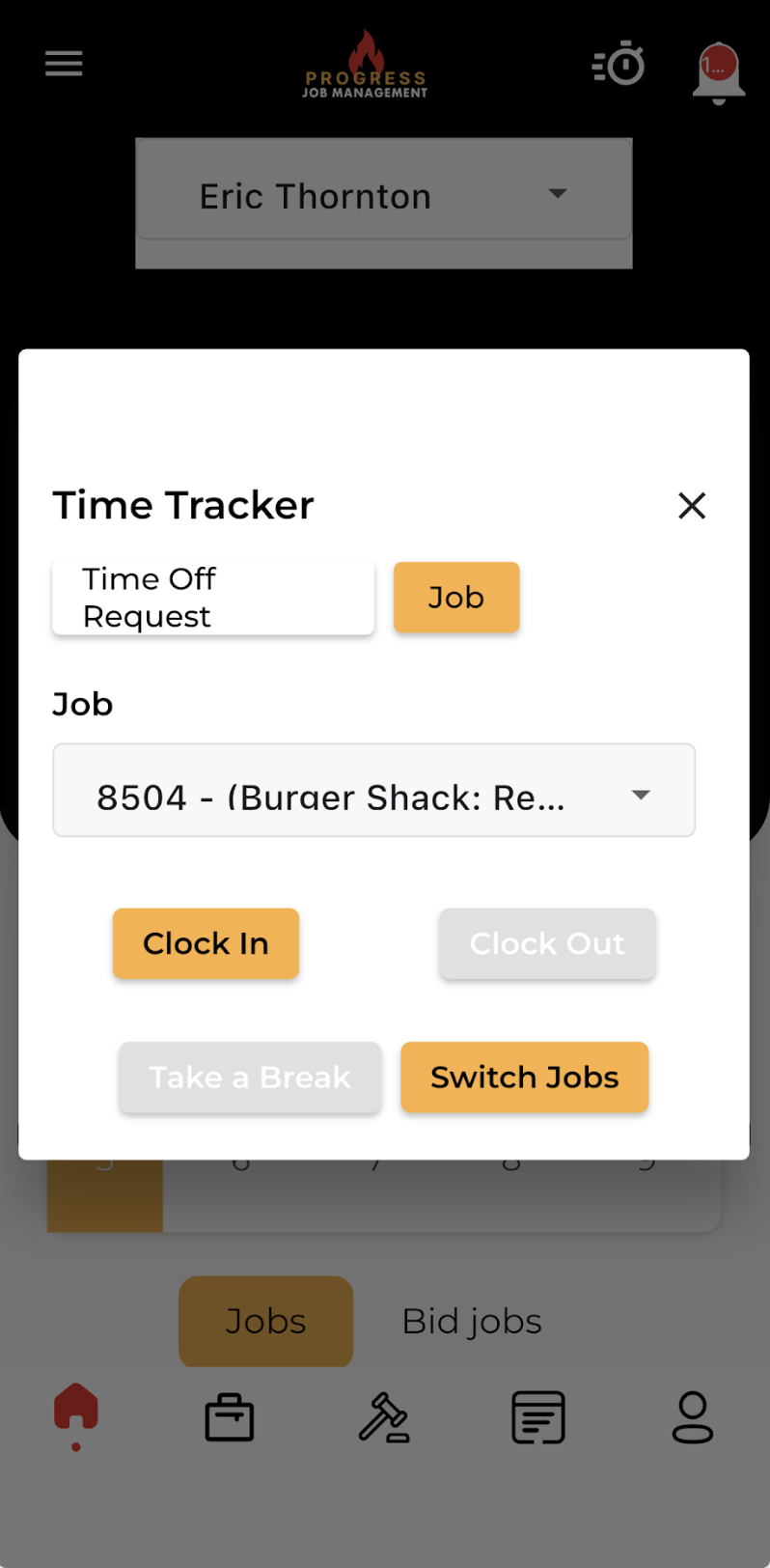
One tap to clock on, straight to job costing
Crew members clock in and out with one tap, logging hours directly to specific jobs, tasks or cost codes.
Admins review, approve and sync time for accurate payroll, billing and job costing — no timesheet retyping at the end of the week.
- One-tap clock in and out on mobile
- Hours logged to jobs, tasks or cost codes
- Admin review and approval workflow
- Sync to payroll and job costing
What it changes for the business
The operational and financial difference contractors see once this is running.
Accurate costing
Hours are logged against jobs, tasks or cost codes, helping your team compare actual labour with the work that was estimated.
Less payroll admin
Admins review and approve recorded hours before syncing them to payroll, rather than retyping timesheets at the end of the week.
No lost hours
Crews clock in and out from their phone so time is captured as work happens instead of reconstructed from memory later.
Inside Time Trackers
The parts of this module your team will touch every single day.
Mobile clock in/out
One tap on site, tied to the job and the tech.
Live labour costs
Watch labour burn against the estimate as it happens.
Payroll-ready export
Approved hours out the door in minutes.
Where this fits in the job lifecycle
Information moves in one direction — forward — with no re-entry between stages.
- Step 1
Customer
Request captured
- Step 2
Estimate
Scope and price
- Step 3
Job
Scheduled and dispatched
- Step 4
Time Trackers
Where this feature works
- Step 5
Invoice
Billed from real data
- Step 6
Reporting
Margin visible
Frequently asked questions
Still unsure? A 30-minute demo answers most of it.
Run Time Trackers on your next job.
Book a live demo with someone with someone who has actually run jobs.